
2026 Spring Edition - Employer Newsletter
Meet the Employer Support Team
Our Employer Support Team is here to help with any questions you have about reporting payroll in our ERIC system. Give us a call toll free at 844-304-5452, or in Helena at 406-444-3994. You may also email us at MPERA@mt.gov.
Diana Stitt, Cathy Grose, Karen Bogard, and Kristi Andersen with the Employer Call Center are all ready to help answer your questions!
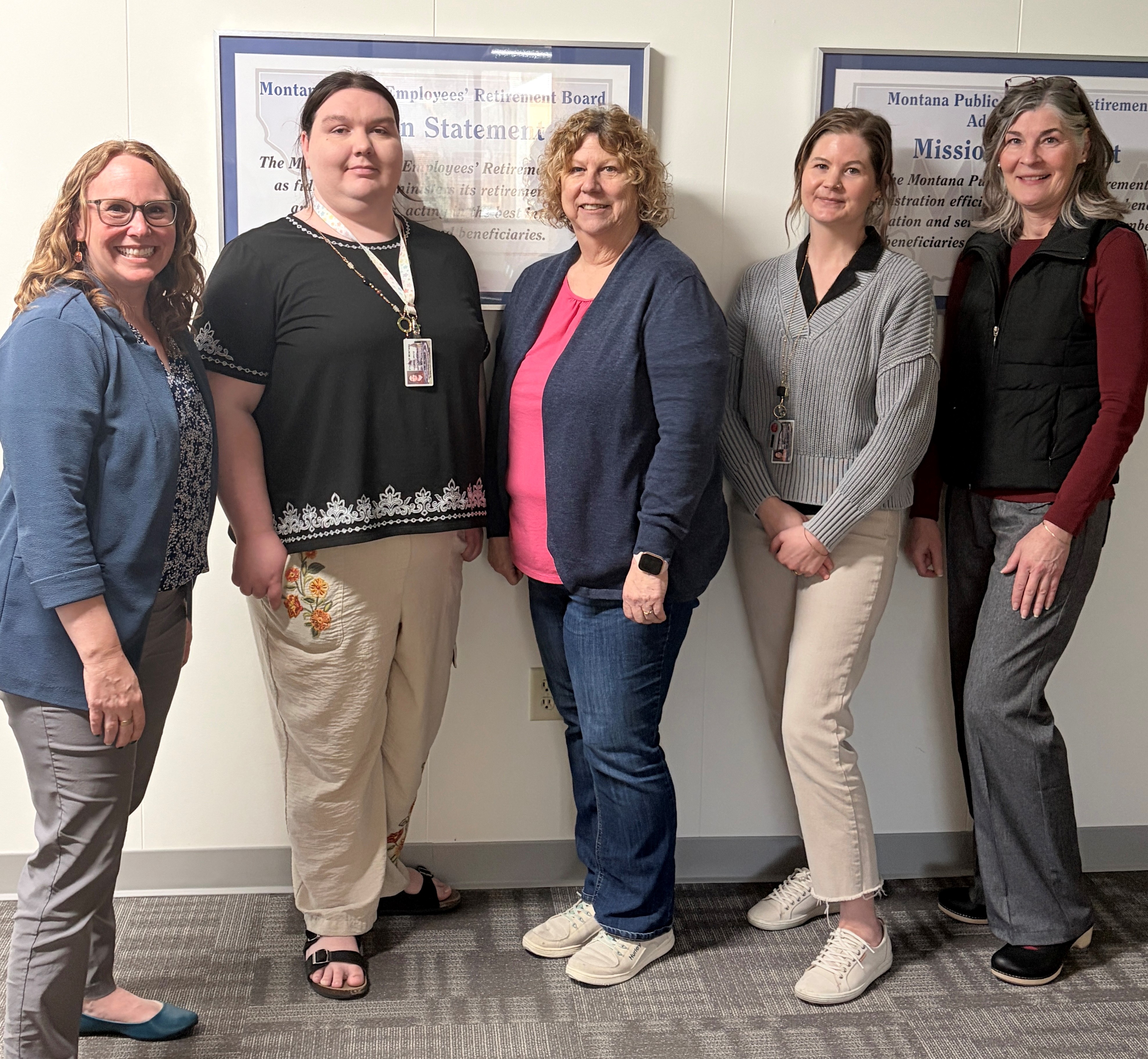
Members of our Employer Support Team pictured from left to right: Jessie Herbert-Meny, Rae Bruce, Cathy Grose, Kelly Cottrell, and Kristi Andersen (missing from the photo are Diana Stitt, Karen Bogard, Terry Dalton, and Joel Thompson)
ERIC Updates
Requesting a Waiver of a Late Payment Penalty
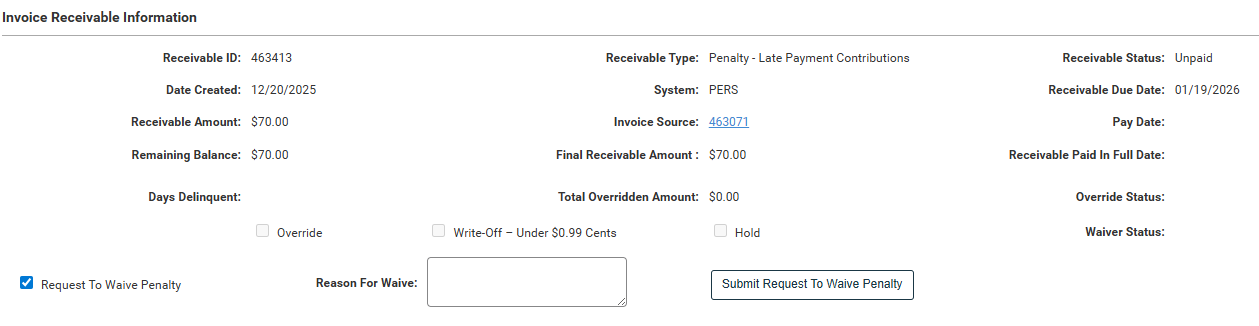
We have a new feature in ERIC which allows employers to directly request a waiver of a late penalty. To request a waiver:
- Locate the invoice which displays the penalty fee.
- Check the “Request to Waive Penalty” box and type your reason for your request. Pease be specific in your request.
- Select “Submit Request to Waive Penalty.”
- Our accounting team will review the request within one week. You will receive a message in ERIC when the penalty waiver is approved or declined.
- Please note that MPERA will carefully consider each penalty waiver request. We will not waive penalties unless the late reporting is due to system issues, serious illness, natural disasters, or other events beyond the employer's control.

Employer Roundtable Discussion
Do you have feedback that can improve the ERIC system? Please join us in April for an Employer Roundtable Discussion with MPERA’s Education and IT teams. Click below to register for one of our online discussions:
PERS Optional Membership Election Form
When enrolling your new employee as a PERS Optional Member, remember to check off the reminder box in ERIC indicating that you have given your employee the Optional Membership Election Form. The DocuSign version is a convenient option when you go to our Forms directory on our website.
Determining who should be given an Optional Membership Election Form:
- Employees who are already a member of PERS or will be working full-time are required to be reported to PERS and should not be given an Optional Membership Election Form.
- Employees in an exempt position do not get an Optional Membership Election Form.
- Employees who will work part-time (under 960 hours in a fiscal year) in a PERS-covered position must be given an Optional Membership Election Form and be given the opportunity to elect or decline PERS membership.
Use this flow chart to determine who should be given an Optional Membership Election Form.
Changes in ERIC
Warning Messages when Payroll is Expected
We appreciate your timely efforts to get termination information updated in our system. Employers will start seeing a warning message sooner in your Payroll Header.
When ERIC is expecting payroll for an employee that has not been reported for six months or more, a warning message will display in the Errors tab that reads “Payroll Detail is expected for (Employee Name)...” Please pay attention to these warnings and make sure to enter termination dates when applicable.
Upcoming Webinars
Member Webinars
Please share our upcoming Webinar Schedule with your employees:
- Leaving, but not retiring – March 24
- Ready to Retire for PERS Defined Benefit Members – March 26
- Sheriffs’ Retirement System (SRS) Ready to Retire – March 26
Employer Webinars
If you are a new payroll clerk or are looking for a refresher, register for an upcoming Employer Training Webinar:
- Basic Navigation in ERIC – March 25

Meet Your Montana Empower Representatives
Empower Retirement is the state of Montana’s recordkeeper for the 457(b) Deferred Compensation Plan and the PERS Defined Contribution (DC) Plan.
Montana has three Empower representatives to help members meet their retirement goals. Our Montana reps meet with members daily, either in-person or virtually. They are also available to schedule a visit to your location to meet with members. You can reach out directly to them at any time.

Quick Tips
- Enrolling Employees: Every employee needs to be enrolled in the ERIC system. This short video shows how to enroll employees and a few tips to enroll multiple employees at once.
- Managing Contacts in ERIC: As an ERIC user, you can update all organizational contacts for MPERA. Visit the Contact Tab, found in the Organization section on the left side panel. From here, you can view and edit all contacts, inactivate old contacts, and select the Primary Contact for your organization.